博客技术小记(1)
本文最后更新于:4 个月前
整理一下最近学到的博客技术吧。
用Hexo Admin写博客
安装Hexo Admin插件
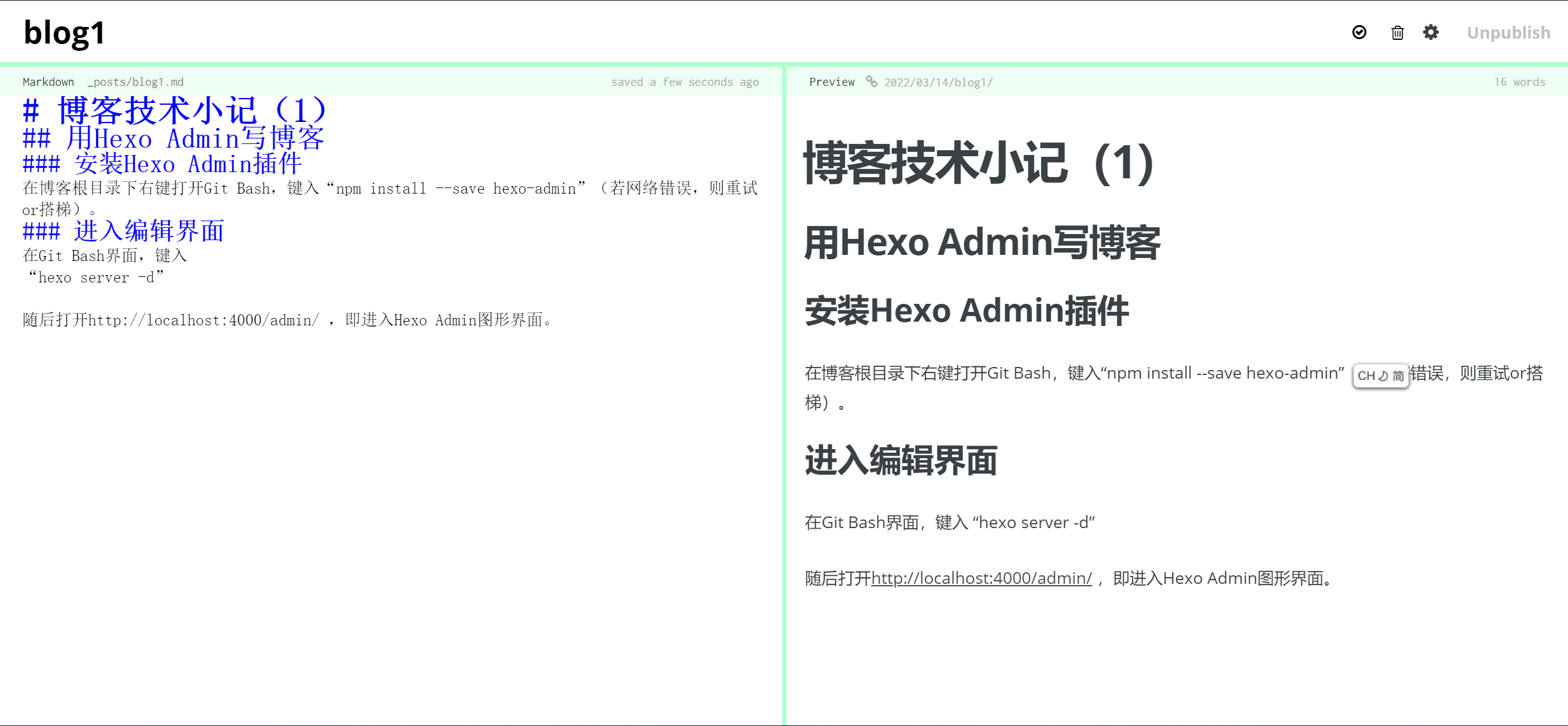
在博客根目录下右键打开Git Bash,键入“npm install –save hexo-admin”(若网络错误,则重试or搭梯)。
进入编辑界面
在Git Bash界面,键入
“hexo server -d”
随后打开http://localhost:4000/admin/ ,即进入Hexo Admin图形界面。
(整理自简书 )
文章写作
插入图片
图片素材按官方教程说法,可统一放置在source/images目录中,并以  方式引用
作者:Wavky
链接:https://www.jianshu.com/p/925fa86ccc95
各式文字
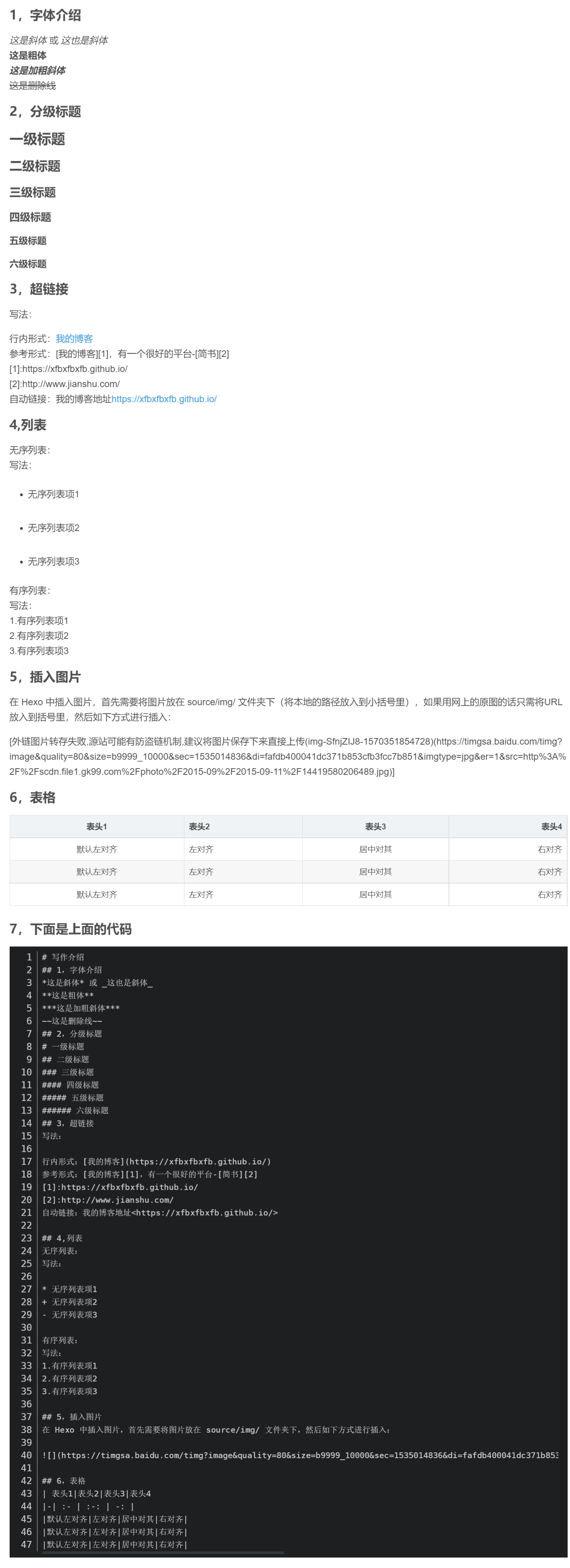
(截图整理自CSDN作者梦里北极光的文章 )
看板娘
安装依赖
Git Bash -> npm install –save hexo-helper-live2d
若出现 “run ‘npm audit fix”……的错误”,键入npm audit fix force
若成功,则在node_modules目录下出现live2d-widget目录
安装看板娘
可用npm安装模型文件,e.g.:
npm install live2d-widget-model-shizuku
model名字可在live2d-widget-models中找到
看板娘登场
在主题或全局的_config.yml中添加如下语句
1 | |
暂时先写到这里吧,有空更新。
插入音乐
安装依赖
Git Bash -> npm install –save hexo-tag-aplayer
启用Meting播放器
在全局_config.yml中添加以下语句:
aplayer:
meting: true
实际应用
在网页md文件中加入如下语句
1 | |
可选参数: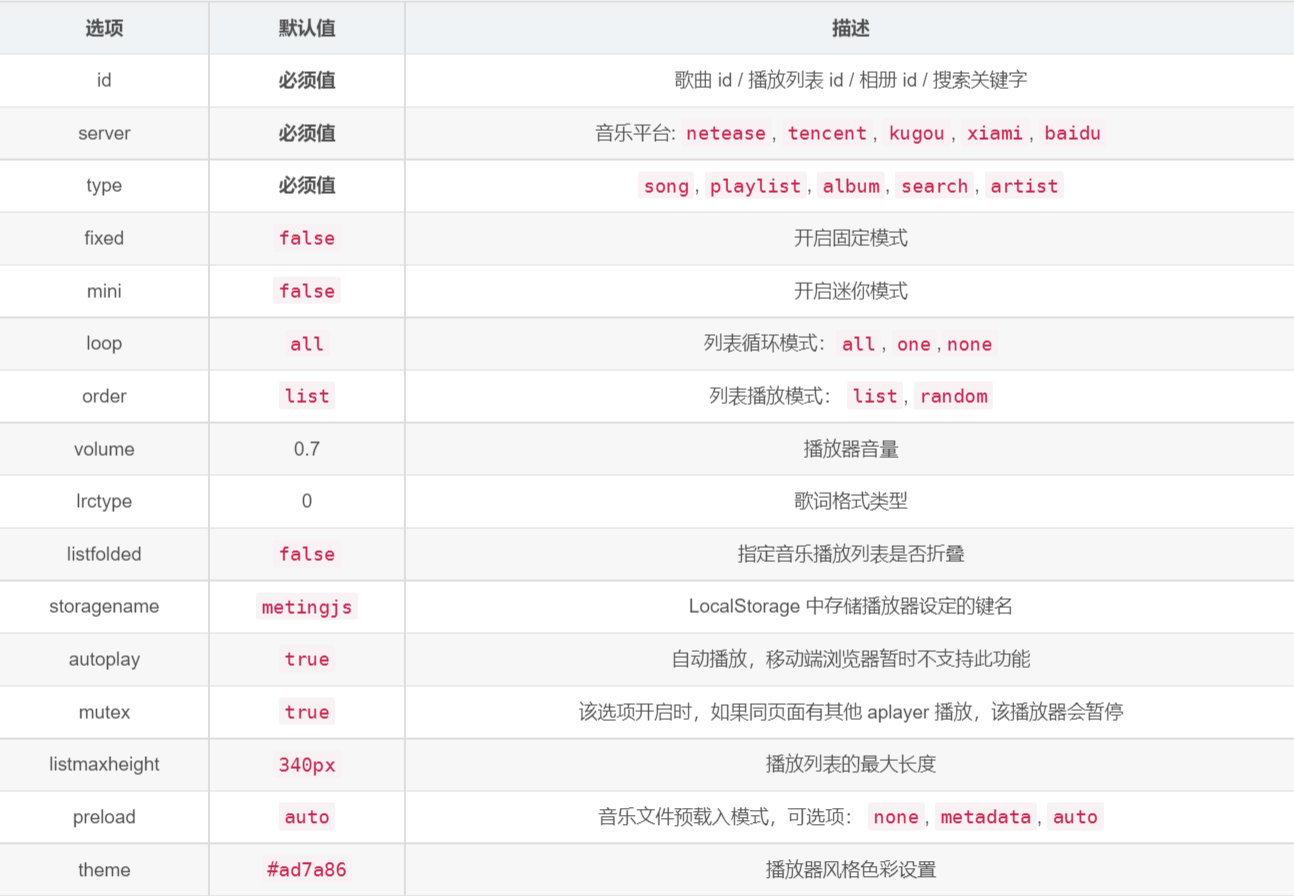
(整理自 https://blog.csdn.net/hushhw/article/details/88092728 )
##个性化分割线
分割线的颜色(注意,此处的代码是由上至下给分割线着色的,实际应用时需要自行调整)
红色分割线
蓝色分割线
半透明的黑色分割线
渐变色分割线
1 | |